
Professional invoices
Add your logo and signature, pick a template, apply tax and discounts, and bill in your business currency.
For freelancers & small businesses
Create invoices and quotations, record payments, track expenses, and share a PDF or a view-only link with your client — from your browser or your Android phone.
7-day free trial · No card required
Everything you need to bill clients
Add your logo and signature, pick a template, apply tax and discounts, and bill in your business currency.
Send a quote first. When the client agrees, convert it into an invoice without retyping a thing.
Record full or partial payments and always see what is still outstanding, pending or overdue.
Log what you spend. Your dashboard shows collected income against expenses, so profit is never a guess.
Save clients and your products or services once, then add them to any invoice or quotation in seconds.
Share a PDF, print it, or send a view-only link. Your client opens the invoice in a browser — no account needed.
Dashboard
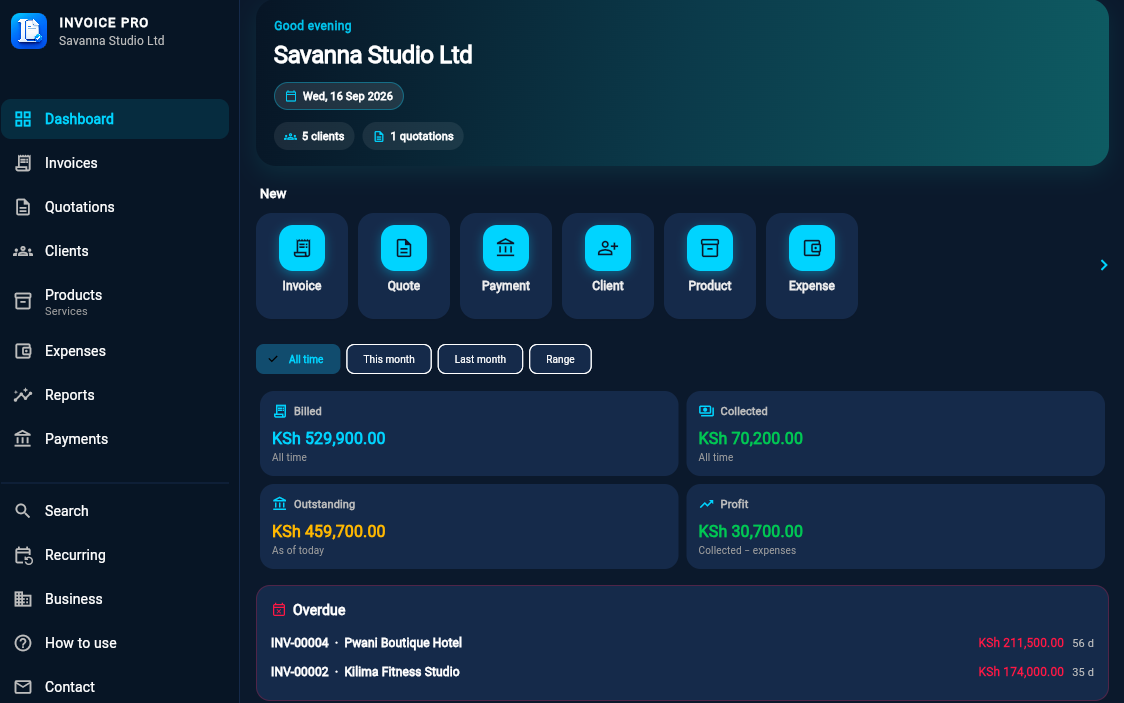
Paid, pending and overdue invoices, open quotations, and profit after expenses — all on one screen when you sign in.
Create
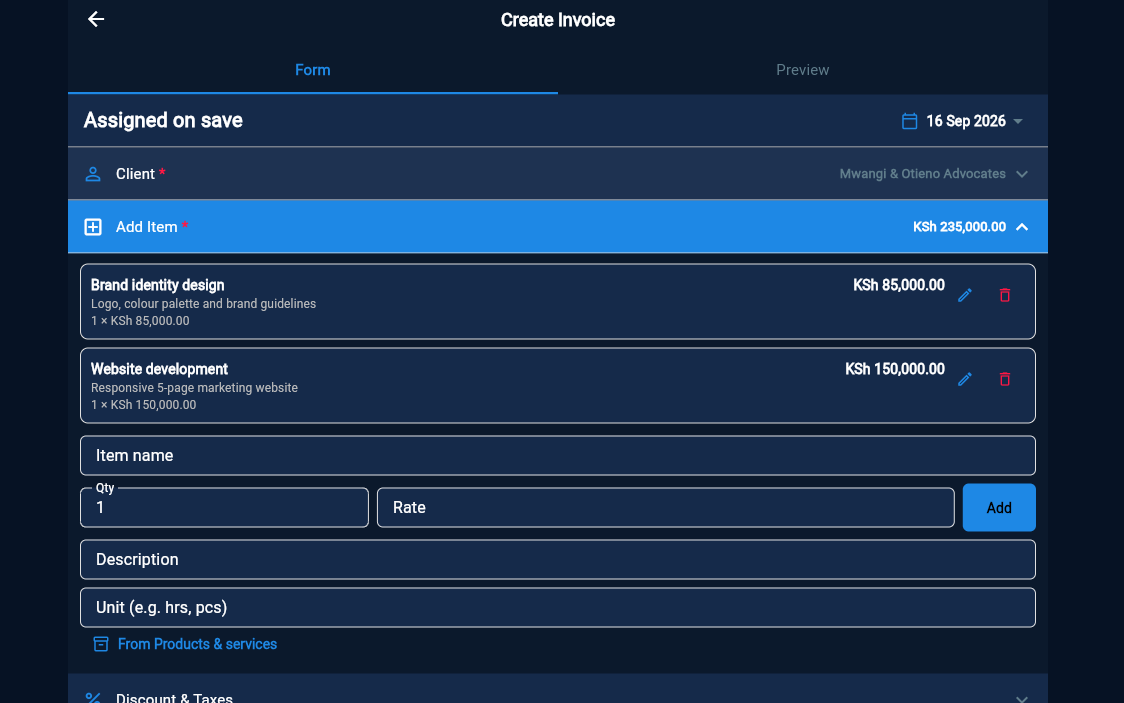
Choose a client, add items from your product list, and Invoice Pro works out tax, discounts and totals for you.
Share
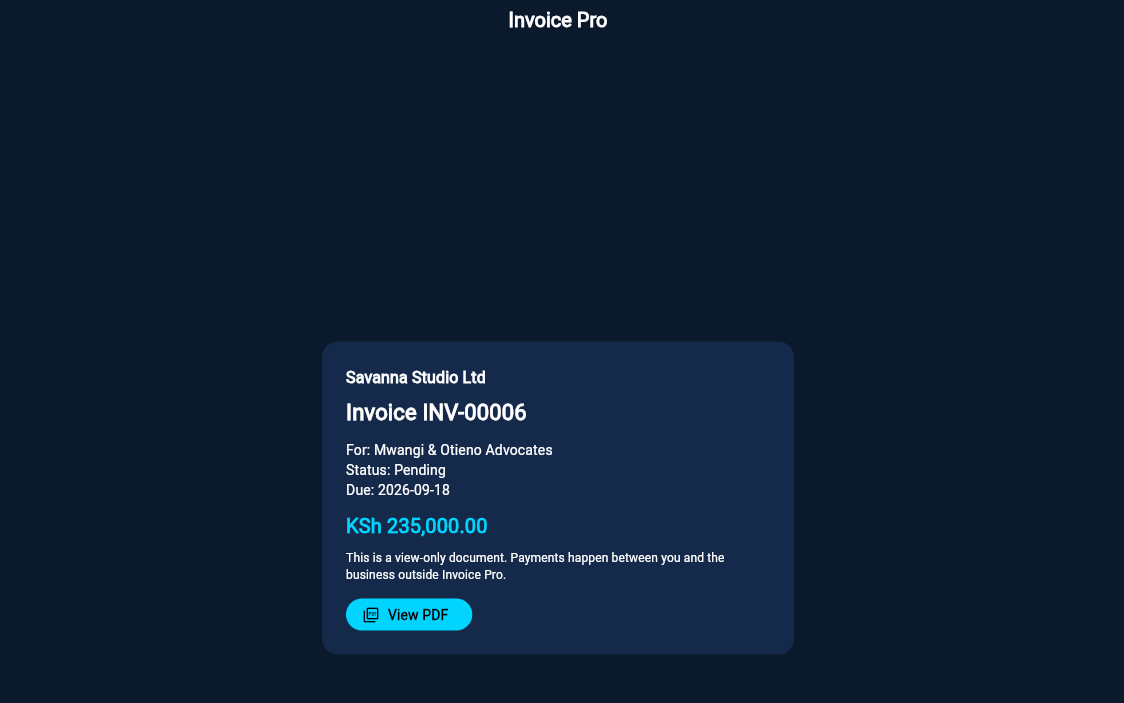
Send a link and your client opens the invoice in any browser, with the PDF one tap away. They never need an Invoice Pro account.
Who it's for
Designers, developers, writers and consultants billing project by project.
Small retailers who need a proper invoice and a record of what's been paid.
Trades and builders who quote first, then invoice and collect in stages.
Salons, agencies, tutors and repair shops with repeat clients.
How it works
Set up your business once, then create an invoice or quotation from your saved clients and products.
Record payments as they arrive. Invoice Pro keeps balances, overdue invoices and your dashboard up to date.
Send a PDF or a view-only link. Your client reads the invoice in their browser — nothing to install.
Pricing
Start with a 7-day free trial — no card required.
$9.99KSh 1,000 / month
Billed monthly.
Start free trial$99.99KSh 10,000 / year
Billed once a year.
Start free trialTaxes may apply. Web subscription checkout is launching soon; your free trial starts as soon as you sign up.
Trust & privacy
Your invoices, clients and expenses can only be read or changed by the account that created them.
Data is stored with Google Firebase, sent over HTTPS and encrypted at rest by Google.
Shared links show that one invoice and nothing else. Clients can view and download it, not edit it.
Protect the app on your phone with a PIN or biometric unlock.
You can delete your account and its data whenever you choose. How to delete your account.
Read exactly what we collect and why in our Privacy Policy and Terms.
FAQ
Yes. Every new account gets 7 days of full access, with no card required.
No. Send them a view-only link or a PDF. The link opens the invoice in any browser.
Yes. Invoice Pro is available on Android from Google Play and works in any modern browser at app.invoiceproonline.com. Sign in with the same account on both.
You choose your business currency in settings, and your invoices and totals use it.
Yes. Once a quotation is accepted, convert it to an invoice with the client and items already filled in.
Yes. Record each payment as it arrives and Invoice Pro keeps the outstanding balance up to date.
Follow the steps on our account deletion page.
Start your 7-day free trial. No card required.